
Make Life Easier with the ‘Flic’ of a Button

As a blogger and someone that works online and on my phone a lot, I love finding ways to save time when working. It’s hard to manage my time when I have deadlines to meet and all those little tedious tasks take an age to complete so I end up behind.
The one part of blogging I hate is editing. Not so much images as I can do the most of them from my phone, but videos. There’s nothing worse than having to press play whilst filming on my phone and then running across the room to get into position for the shoot. That all then needs editing out and that’s what takes forever. Constantly going back and forth to the camera to stop and start recording.
So, when I read that Flic could help with this, and many other parts of my life, I knew that I wanted to give it a try.

Flic is the world’s first do anything smart button. It is designed to act as a shortcut to many popular apps and functions on a smartphone, including the camera function. Perfect for using in the home, workplace or car, the Flic button bypasses the need for a smarphone to allow anyone (regardless of age of tech know-how) to interact and control the apps they use.
There are many great ways to using the Flic Button to help around the home, and much more, and this video here shows a few of them.

So, what can you connect to the Flic Button?
The camera functions (including Snapchat) so you can use the Flic to take a photo, or video, when you aren’t near your phone. Perfect for someone like me who needs to keep stopping and starting my video recordings.
You can set it up to be your snooze button so you don’t even have to get out of bed to turn your phone off. This is a good one for me as my phone charges at the other end of my room and now it means that I no longer have to jump up and out of bed to turn the alarm off – I can snooze back off to sleep instead!
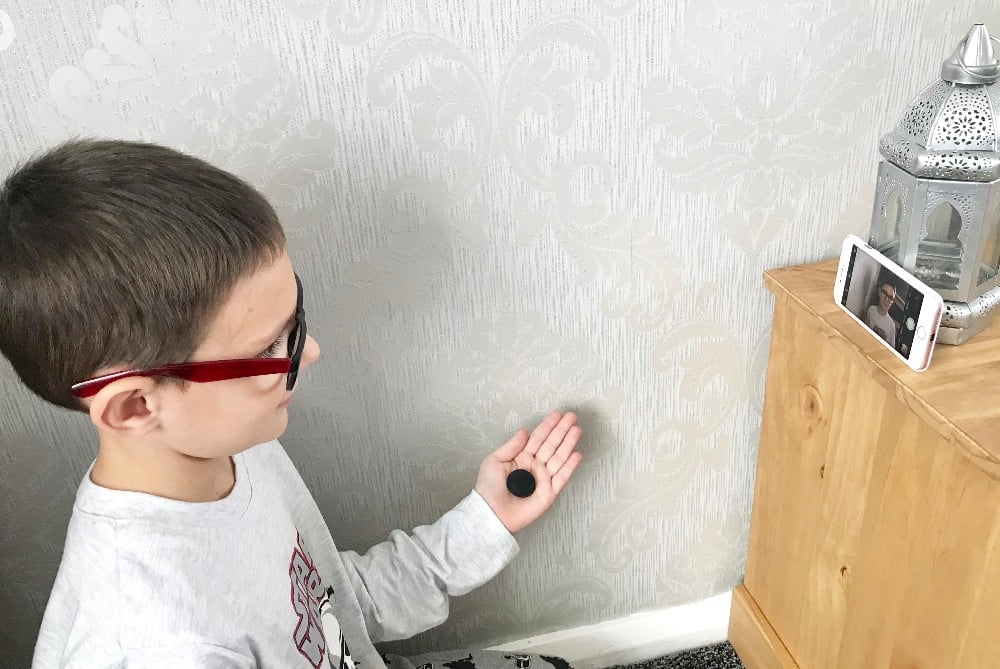 |
| So easy, even a child can use it! |
Spotify is one of my favourites as you can set the Flic to start playing a certain playlist without having to search for it on your phone. You can also use the Flic to start, stop or fast forward tracks.
You can even order food through certain apps. Just download the Dominos app and simply stick the Flic button on the fridge and when hunger strikes, just press Flic once and a Pepperoni pizza will automatically be ordered and delivered without hungry homeowners having to do anything else but sit back and wait for the delivery man. (you can obviously change to your pizza preferences too).

That's nifty
Never heard of this
Would be useful in our house!
Wow, these sounds like it would be very handy to have, thanks for the review.
Never heard of this before, but it looks great!
I'd never heard of this before – sounds wonderful. I do worry about Smart gadgets etc. being hacked and going an "in" to the home network.
Hazel Rea – @beachrambler
This is amazing! I'm not sure my tiny technophobe brain understands it entirely, but it's amazing all the same!!
That does sound incredibly useful, and isn't something I'd heard about before; great article, thank you!
This sounds very handy xXx
Never heard of this before but sounds great
This has never crossed my radar! It looks very useful. I'll have to keep an eye out and investigate further!
Never heard of it so thanks for the intro. Genius.